See who’s in
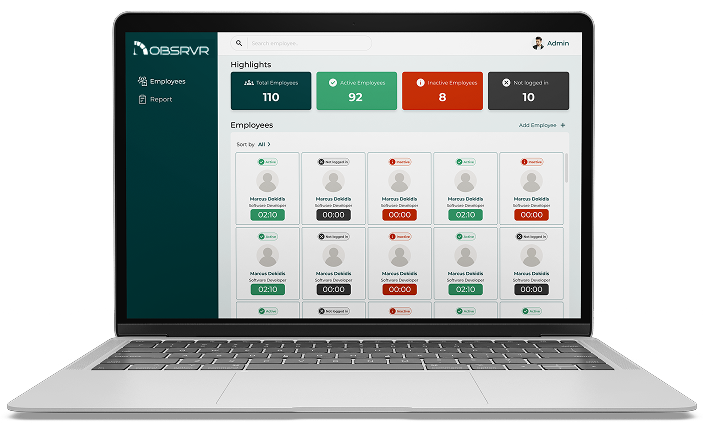
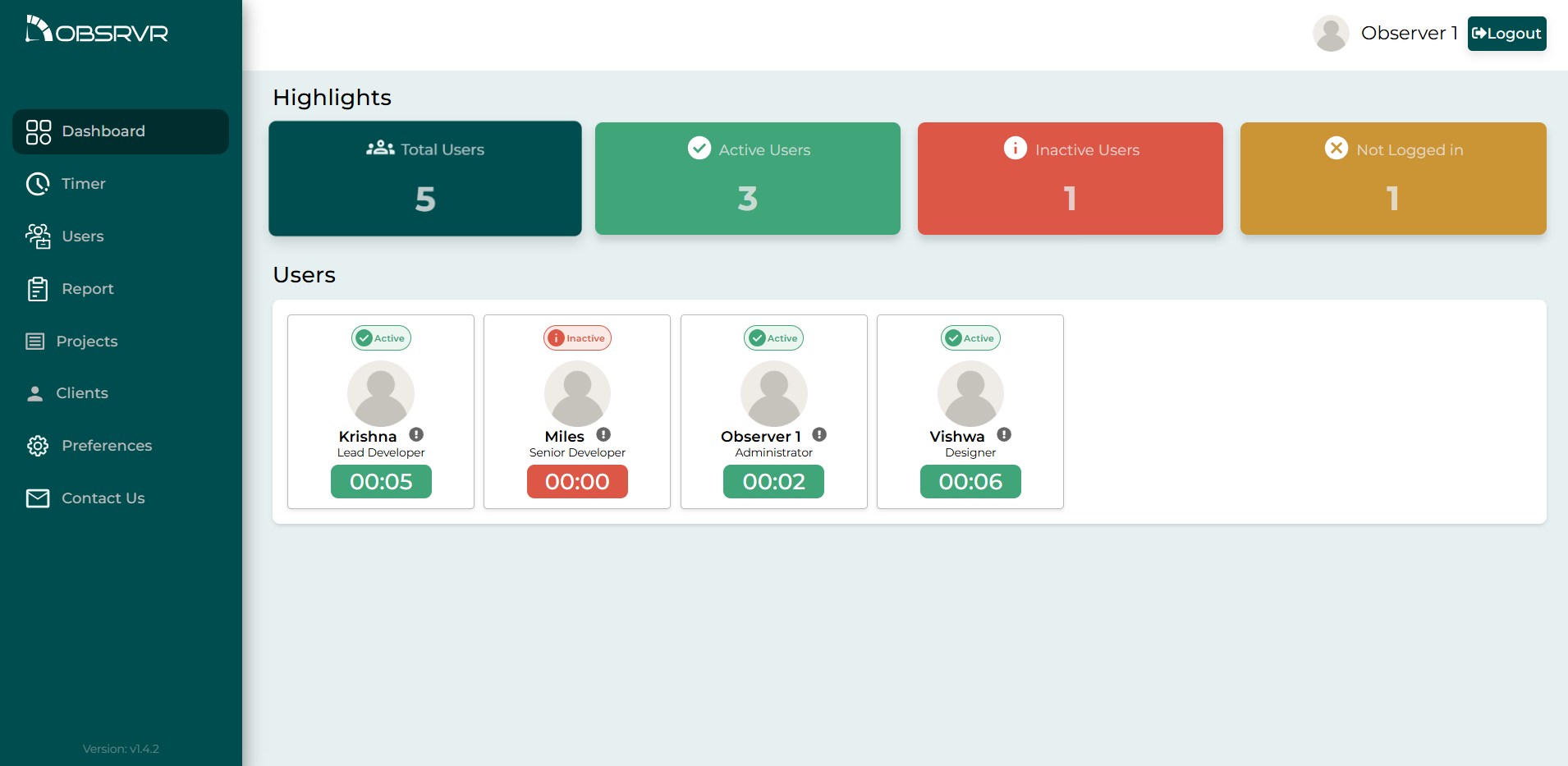
The dashboard shows how many people you have, who’s active, who’s idle, and who hasn’t signed in. There’s a display login you can leave on a screen in the office.

Time tracking for teams
Obsrvr helps your team keep time on the work itself, by project and by client, without watching anyone’s screen. You can start free with up to 10 people. No credit card.
Obsrvr Time Tracker, from Obidos Technologies, Kerala, India. obsrvr.app
Free for up to 10 peopleStarter stays free. No card to start.
Your team’s privacyNo screenshots. No keystroke logs.
Works in the browserLaptop or phone. Nothing to install.
Edits stay on recordA later change to the time or the note stays in the history.
Obsrvr Time Tracker is the time tracker Obidos Technologies built for small teams, including teams that don’t sit in the same place. It lives at obsrvr.app. You start and stop time on a task, and a later change to the time or the note is kept. You can also see who’s working, who’s idle, and who hasn’t signed in, and the hours stay with a department, a project, and a client.
You can use it free for up to 10 people, in the browser, on a laptop or a phone. We encrypt the sensitive data in the workspace, and we don’t take screenshots or record keystrokes.
We’re also connecting Obsrvr with other tools. The integration you can use today is Obidos ERP, and it’s in a limited preview. We’ll share more about that, and about the other tools, soon. You don’t need an integration to track time or export a report.
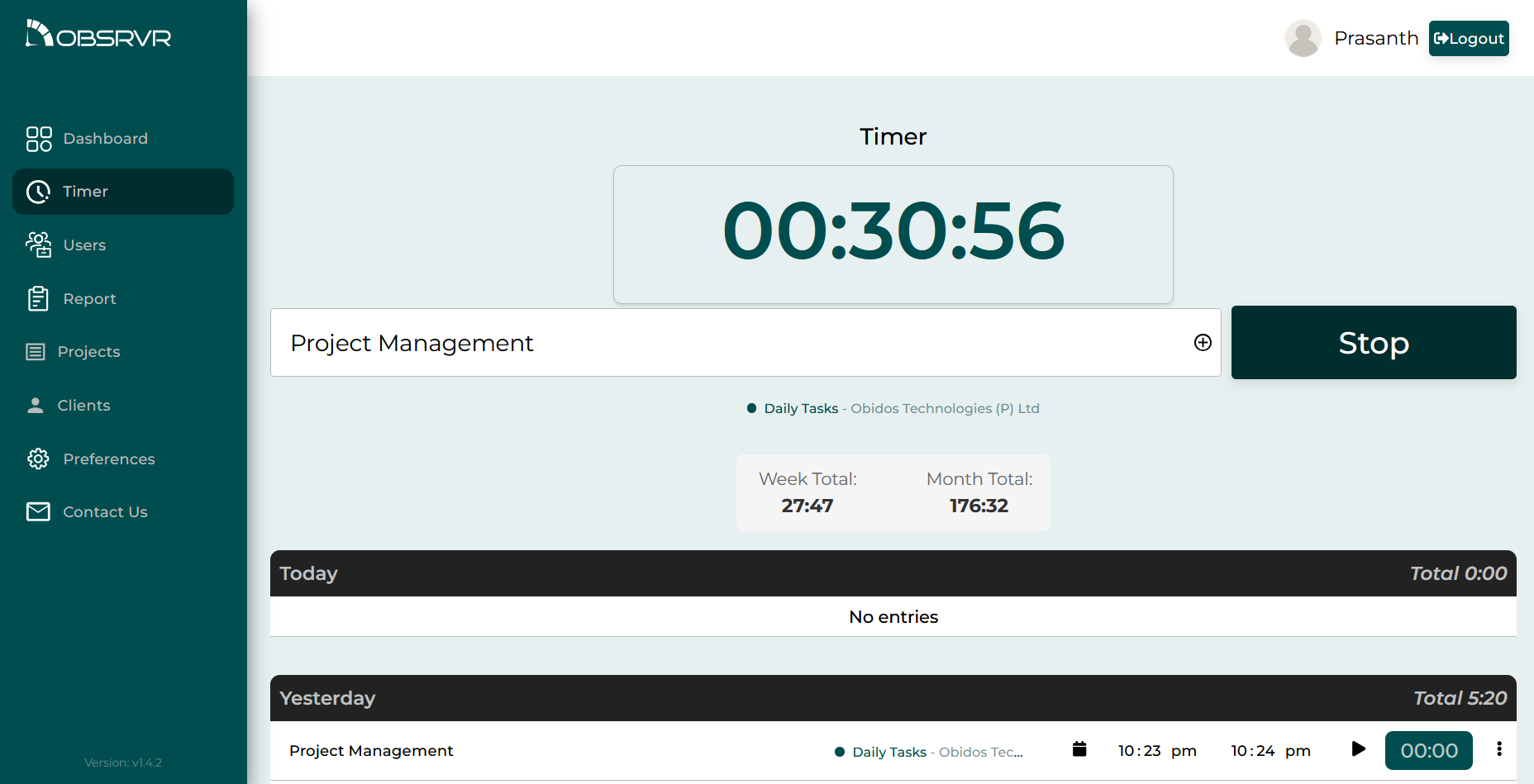
Start and stop time on a task. If someone changes the time or the note afterwards, that edit stays in the history.
Open the history on that task and you’ll see the note, when it started and stopped, and when that version was saved. That’s what you look at when a timesheet doesn’t match what you remember from the week.
The workspace
This is for the person who has to explain where the time went. An agency owner, a delivery lead, or whoever pulls the numbers together at the end of the month.
The dashboard shows how many people you have, who’s active, who’s idle, and who hasn’t signed in. There’s a display login you can leave on a screen in the office.
Start and stop time on a task. If someone changes the time or the note afterwards, that edit stays in the history. Read it on the FAQ
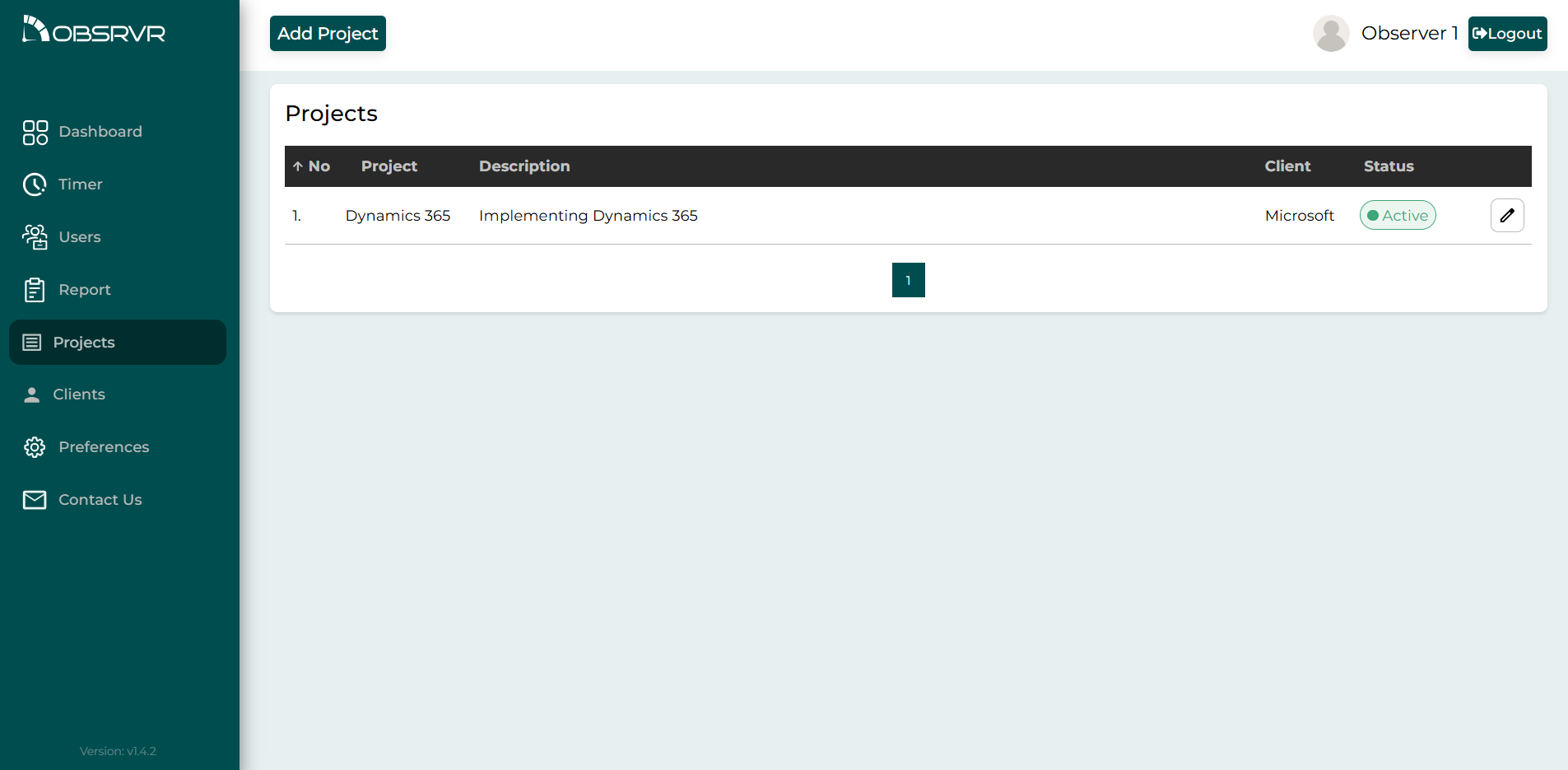
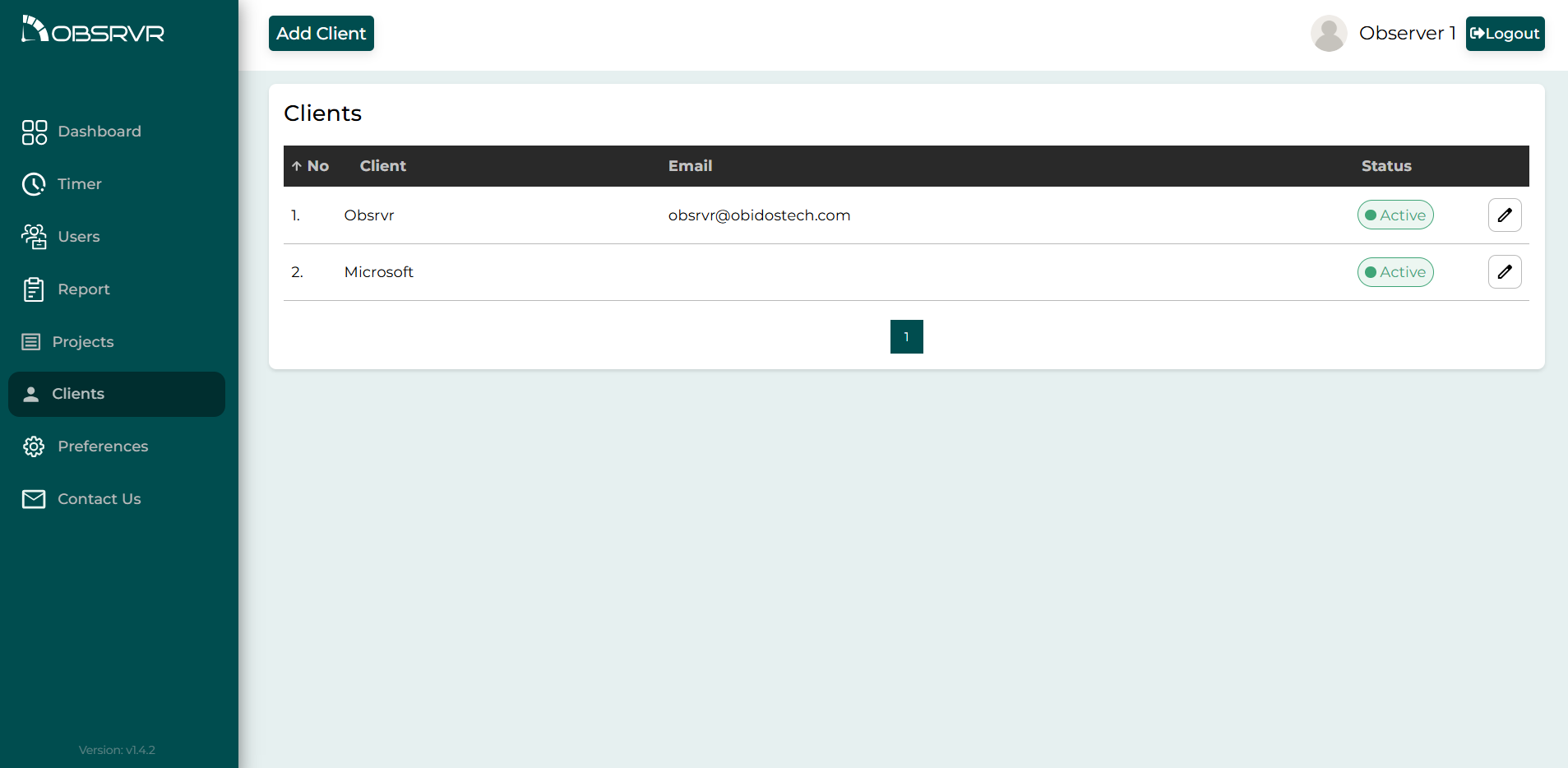
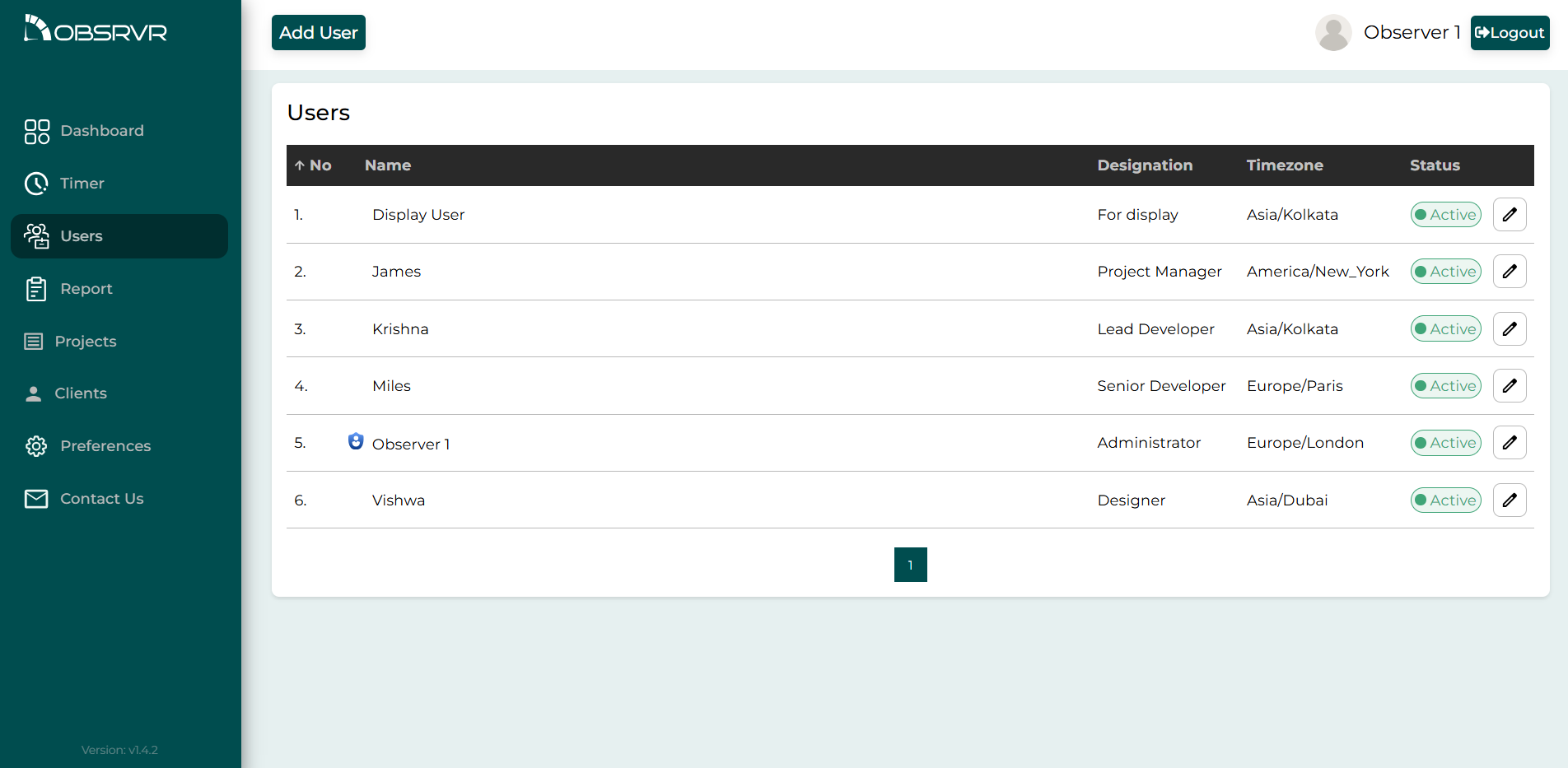
Set the company up the way you actually deliver work. Projects belong to a client. People belong to a department.
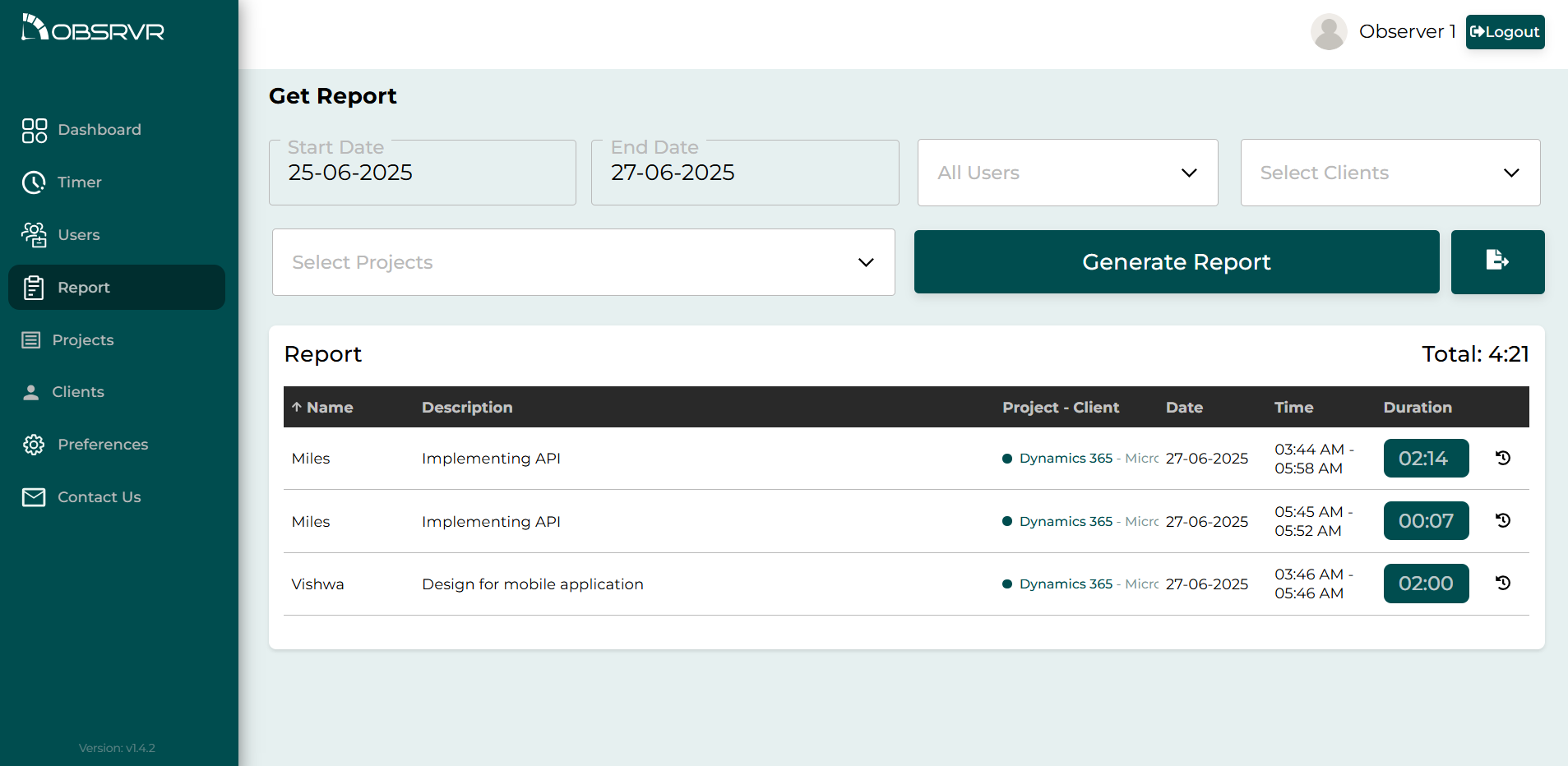
Filter by person, client, project, and dates, then export. Useful for an invoice, payroll, or a note to a client.
Everyone sees times in their own zone, so a team in two countries isn’t converting clocks by hand.
Choose how long a timer can sit before it counts as idle. You can add a sound, and a push notification if you want one.
Admins run the workspace. Department admins look after their group. Everyone else tracks their own time. Display accounts are only for a shared screen.
Limited preview
The integration you can use right now is Obidos ERP, and it’s in a limited preview. We’ll share more about how it works, and about the other tools we’re adding, soon.
Who it’s for
If you bill clients, run a delivery team, or just need a fair picture of the week, this is the kind of tool we had in mind.
Time sits on the client and the project, so when you invoice you can export the month instead of piecing it together.
See who’s on a task, who’s idle, and who hasn’t signed in, without installing monitoring software on their machine.
Departments, roles, and a display you can leave on the office screen. People in the office and people working remotely use the same workspace.
Filter a period by person, client, and project, then export it. The numbers come from the timers your team already ran.
Getting started
Register, confirm your email, and set a password. Starter covers 10 people, and you don’t need a card.
Invite people, then add departments, clients, and projects. They sign in from the browser they already use.
The team runs timers. You check the dashboard, and export a report when you need one.
Inside the product
Pricing
Starter is the plan you can open today. If you’re a bigger team, write to us. We don’t have a self-serve plan for that yet, so we’ll talk it through.
0USD
—
A closer look
These pages answer one search each.
Questions
Start and stop time on a task. If someone changes the time or the note afterwards, that edit stays in the history. You can open it on the task and see the earlier version, including when it started and stopped.
Yes. Starter is free for up to 10 people. You get timers, the dashboard, departments, projects, clients, the change history, and search and export. You don’t need a credit card.
We’re integrating Obsrvr with other tools. Right now, the one you can use is Obidos ERP, and it’s in a limited preview. We’ll share more information soon.
No. We keep time entries, and we show whether someone is working, idle, or not signed in. We don’t take screenshots or log keystrokes.
In the browser, on a computer or a phone. There’s no app to install.
Yes. Each person can set their own time zone, so the times read correctly wherever they are.
Obidos Technologies Private Limited, in Cherthala, Kerala. You can write to us at [email protected].
The full FAQ is at obsrvr.app/faq.html.
Write to us
Send a note if you’d like a walkthrough, if you need more than 10 people, or if you want to hear about Obidos ERP and the other integrations. A team of 10 or fewer can also just sign up.
[email protected]